Wired vs Wi-Fi for Sustained Network Loads: The Real Throughput Gap
Wired vs Wi-Fi for sustained network loads compared with real numbers — why advertised Wi-Fi speeds rarely hold up for continuous CCTV or streaming traffic, and when wired Ethernet is genuinely required.
Published July 14, 2026
An 802.11ac router advertised at “867 Mbps” and a wired Gigabit Ethernet port both sound like they’d comfortably handle a calculated bandwidth requirement — but wired vs Wi-Fi for sustained network loads is a genuinely different comparison than the advertised numbers suggest, and the gap matters most for exactly the kind of continuous, predictable traffic this site’s bandwidth calculator is built around.
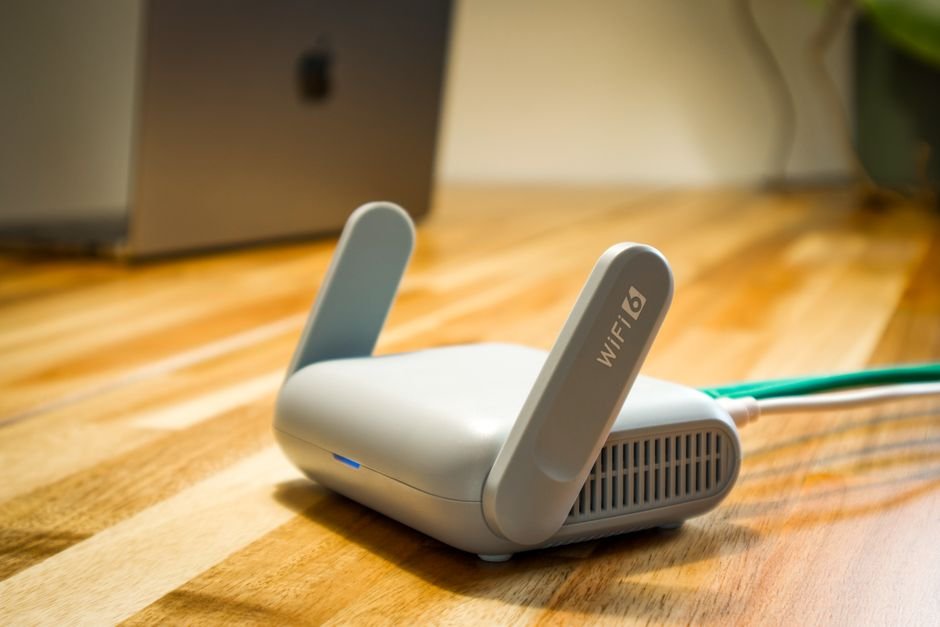
Why the advertised Wi-Fi number is rarely the real number
A Wi-Fi standard’s advertised maximum speed is a theoretical, best-case, single-device, ideal-conditions figure — real-world sustained throughput is routinely well below that number, and the gap grows with distance from the access point, physical obstructions, interference from other wireless networks, and, critically, the number of other devices actively sharing that same wireless connection at the same time.
A worked comparison
Real Wi-Fi throughput ≈ 40-60% of advertised maximum, under good conditions
This is a best-case estimate — interference, distance, and shared load push real throughput lower still.
Even under favorable conditions, an “866 Mbps” Wi-Fi connection commonly delivers somewhere in the range of 400-450 Mbps of real, single-device throughput — and that figure drops further as more devices share the same access point, since Wi-Fi is fundamentally a shared medium where connected devices take turns using the available airtime, rather than each getting a dedicated, independent channel the way wired Ethernet ports do.
Wired Ethernet's throughput advantage isn't just about raw speed — a Gigabit Ethernet port delivers close to its full rated 1000 Mbps consistently and predictably to each connected device, since each port has dedicated, non-shared bandwidth, unlike Wi-Fi where every additional connected device reduces the airtime available to every other device on that same access point.
Why “shared medium” matters more for sustained loads than bursty ones
Web browsing, occasional downloads — devices rarely need peak throughput simultaneously, so sharing airtime works fine in practice.
Continuous CCTV, live streaming — every device genuinely needs its bandwidth allocation constantly, exposing Wi-Fi's shared-medium limits directly.
This distinction is exactly why Wi-Fi’s shared-airtime nature is often perfectly fine for typical home or office internet usage (where most connected devices are idle or bursty most of the time) but becomes a genuine, structural problem for continuous, sustained-bandwidth applications like CCTV recording — every camera on a shared wireless network needs its full bitrate allocation constantly, and Wi-Fi’s shared capacity simply wasn’t designed to guarantee that to many simultaneous devices the way a dedicated wired connection can.
Interference: the variable that makes Wi-Fi throughput unpredictable
Beyond the shared-medium ceiling, Wi-Fi throughput is also genuinely variable moment to moment in a way wired Ethernet isn’t — neighboring wireless networks on overlapping channels, physical obstructions (walls, floors, metal objects), microwave ovens and certain other household electronics, and simple distance from the access point all degrade real-time throughput unpredictably. A wired connection, running through a dedicated physical cable, doesn’t share any of these interference sources — its throughput is consistent and predictable in a way Wi-Fi structurally cannot match, regardless of how good the specific Wi-Fi hardware is.
When Wi-Fi is genuinely fine, and when it isn’t
| Use case | Wi-Fi suitability |
|---|---|
| Single camera, short distance, no interference | Often workable, though still less reliable than wired |
| Multiple cameras on one access point | Increasingly risky as camera count grows |
| Any camera at meaningful distance from the router | Real throughput drops significantly with distance |
| Mission-critical or compliance-driven CCTV | Wired strongly recommended regardless of camera count |
| General bursty internet browsing | Wi-Fi’s shared-medium limits rarely matter in practice |
The Network Bandwidth Calculator’s output tells you the required sustained bandwidth — matching that requirement against Wi-Fi’s real, shared, variable throughput (not its advertised maximum) is the second half of a genuinely reliable sizing decision, and for anything beyond a single camera at close range, that comparison usually favors wired Ethernet.
Powerline and mesh Wi-Fi: middle-ground options, not full substitutes
Powerline networking (running data over existing electrical wiring) and mesh Wi-Fi systems are sometimes proposed as compromises when running new Ethernet cable isn’t practical — both can improve on a single distant access point’s throughput, but neither fully matches dedicated wired Ethernet’s predictability. Powerline throughput varies significantly based on a building’s electrical wiring quality and can be affected by other devices on the same circuit; mesh Wi-Fi still shares the same fundamental airtime constraints as a single access point, just distributed across multiple nodes. Both are reasonable improvements over a poor Wi-Fi setup, but neither eliminates the core wired-versus-wireless gap this article covers.
FAQ
Can Wi-Fi ever genuinely match wired Ethernet for sustained loads? Under ideal, close-range, low-interference, single-device conditions, modern Wi-Fi can get reasonably close — but the moment multiple devices share the connection or interference/distance increases, the gap widens meaningfully, which is exactly the scenario multi-camera CCTV usually presents.
Why does adding more devices to the same Wi-Fi access point reduce everyone’s throughput? Because Wi-Fi is a shared medium — connected devices take turns using the same available airtime rather than each getting independent, dedicated bandwidth the way wired Ethernet ports do, so more simultaneous devices means less airtime share for each one.
Is a higher Wi-Fi standard (like Wi-Fi 6) enough to solve this for CCTV? Newer standards improve efficiency and can raise real-world throughput ceilings, but they don’t eliminate the fundamental shared-medium and interference characteristics that make Wi-Fi less predictable than wired for sustained, continuous loads.
Are powerline adapters a good substitute for running Ethernet cable? They’re a reasonable middle-ground option where running cable is impractical, but throughput varies with electrical wiring quality and isn’t as consistently reliable as dedicated Ethernet.
How much of a Wi-Fi connection’s advertised speed should I actually plan around? A conservative planning estimate of roughly 40-60% of the advertised maximum, under otherwise good conditions, is a reasonable starting assumption — with further reduction expected as more devices share that connection or interference increases.
Does this wired-versus-Wi-Fi gap matter for a single home security camera? Less critically than for a multi-camera commercial installation, but the same underlying reliability and predictability advantages of wired still apply — a single camera at a reasonable distance with minimal interference may work acceptably over Wi-Fi, but wired remains the more reliable choice if it’s practical to run. Whichever medium carries the traffic locally, footage headed off-site still needs to fit within your internet uplink’s actual upload capacity.