Venmo Scam: Fake Payments, the 'Accidental' Overpayment, and Stranger Requests
Venmo's social, semi-public feed and instant transfers create a specific set of scam patterns — from fake payment screenshots to strangers 'accidentally' sending you money. Here's how each one works.
Published July 25, 2026
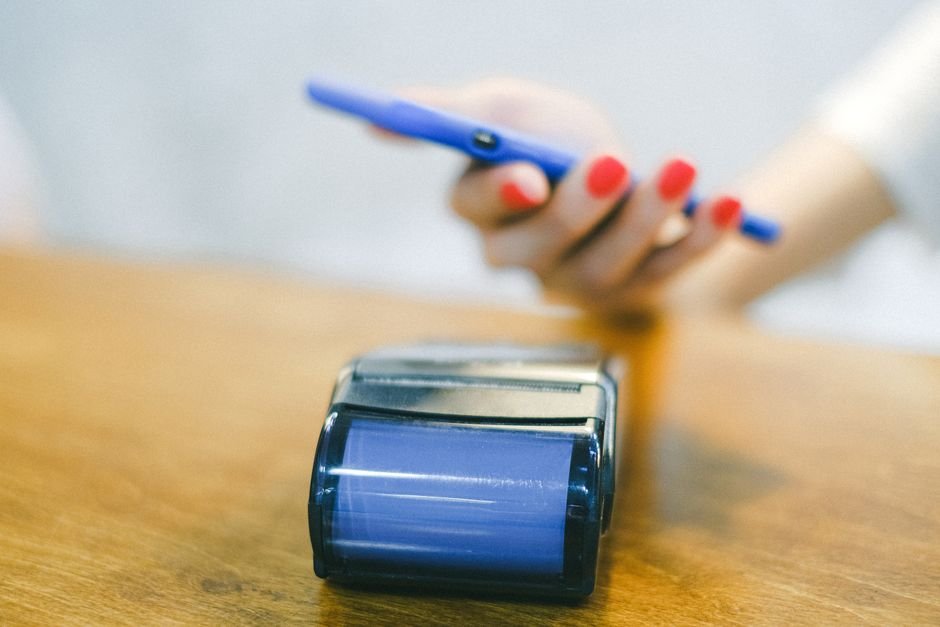
Venmo scams cluster around two things that make Venmo distinct from a typical bank transfer: payments are meant to be fast and largely final, and Venmo has a social, semi-public feed by default, which scammers use both to appear more legitimate and to find targets. The most common patterns are fake payment confirmations for goods sold, the “accidental payment” refund request, and phishing for login credentials.
Fake payment confirmation (selling something on Venmo/marketplace)
If you’re selling an item and a buyer says they’ve paid, always confirm the money has actually arrived in your Venmo balance — not just that they’ve sent a screenshot claiming to show a completed payment. Screenshots are trivial to fabricate or edit, and this is one of the most common tactics used to get someone to ship an item, or hand it over in person, before any real payment has occurred.
The “accidental payment” scam
A stranger sends you a real Venmo payment, then messages claiming it was sent by mistake (meant for someone else, or a “duplicate” of a payment) and asks you to send the money back — sometimes to a different account than the one that paid you. The catch: the original payment was typically made using a stolen card or a compromised account. Once the fraud is discovered, Venmo or the cardholder’s bank reverses the original payment, and if you already sent money back, you lose that amount even though you never asked for or benefited from the original transfer.
Phishing for login details
As with any major payment app, fake emails or texts claim your Venmo account has unusual activity, has been limited, or needs “verification,” with a link to a fake login page. Credentials entered there give a scammer access to the real account and any linked bank account or card.
Warning signs
- A payment “screenshot” instead of the money actually showing in your Venmo balance — always verify directly in the app, not from an image someone sends you.
- An unexpected payment followed by a request to send it back, especially to a different account or payment method than the one that sent it.
- A buyer or seller pushing to move a transaction off Venmo entirely, or insisting on Venmo specifically to avoid a marketplace platform’s built-in protections.
- A link in an email or text about your Venmo account — go to the app directly instead of clicking.
Recent variations
A common current version targets sellers on Facebook Marketplace or Craigslist: a “buyer” sends a fake payment notification email that closely mimics Venmo’s real design, claiming the payment is “pending” until the seller provides a small “processing” or “verification” fee — sending that fee is the actual scam, since the original payment was never real to begin with.
Protection tips
- Always confirm a payment has actually landed in your real Venmo balance before shipping an item or handing over goods — never rely on a screenshot or an emailed “confirmation.”
- If someone claims to have sent you money by mistake, don’t send anything back immediately — contact Venmo support directly to verify and resolve it through the platform.
- Set your Venmo transaction privacy to private if you’re concerned about your payment activity being visible on the semi-public feed.
- Never click a link in an email or text about your Venmo account — open the app directly instead.
The Marketplace Scam Risk Calculator covers the overpayment and off-platform-pressure tactics common to Venmo-based selling scams.
FAQs
Someone sent me a Venmo payment and says it was a mistake — should I send it back? Don’t send anything back directly. Contact Venmo support to verify and resolve it — if the original payment was fraudulent, sending money back yourself means you lose that amount when the original transaction is later reversed.
Is a payment screenshot proof that I’ve actually been paid? No — screenshots are easy to fabricate or edit. Always check your actual Venmo balance in the app before shipping an item or completing a sale.
Can Venmo payments be reversed? Venmo payments are generally treated as fast, final person-to-person transfers, similar to cash — this is exactly why verifying a payment has actually landed before acting on it matters so much.
How do I report a Venmo scam? Report it directly within the Venmo app, and file a report at reportfraud.ftc.gov if money was lost.
Related calculators
Scam Risk Score Calculator
Answer 10 quick yes/no questions about a message, call or offer to get a 0-100 scam-risk score, a risk level, and a clear recommendation — entirely in your browser.
Marketplace Scam Risk Calculator
Score a Facebook Marketplace, Craigslist or online classifieds listing against 5 common buyer/seller scam patterns before you pay or ship.
Identity Theft Risk Calculator
Score your current identity theft exposure against 5 common risk factors — password reuse, data breaches, phishing clicks, SSN sharing and credit monitoring.