Amazon Scam: Fake Order Confirmations, 'Unauthorized Purchase' Calls, and Brushing
From fake order-confirmation texts to phone calls about an 'unauthorized $800 purchase,' Amazon-themed scams are among the most reported in the US. Here's how each version works.
Published July 25, 2026
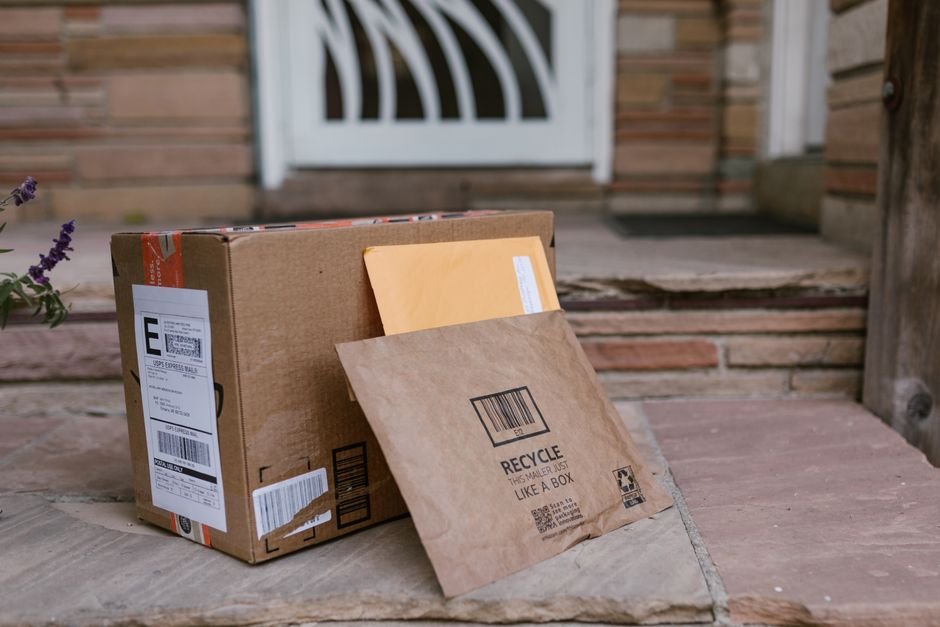

Amazon is impersonated constantly, for a simple reason: almost everyone in the US has an Amazon account, so a message claiming something’s wrong with an order has a high chance of landing on someone who’ll believe it plausible. The most common versions are fake order-confirmation phishing, “unauthorized purchase” phone calls, and a stranger version called brushing, where you receive a real package you never ordered.
Fake order confirmation / “your order couldn’t be delivered”
A text or email claims an order was placed, a payment failed, or a package couldn’t be delivered, with a link to “review your order” or “update payment details.” The link leads to a fake Amazon login page. Entering your Amazon credentials there gives the scammer access to your real account, including saved payment methods and order history — which they can use to place actual fraudulent orders, or to attempt the same credentials on other sites if you’ve reused your password.
”Unauthorized purchase” phone calls
This version starts with a call (sometimes preceded by an automated message) claiming a large purchase — often a specific, alarming amount like “$799 for a new laptop” — was just placed on your Amazon account, and asking you to “confirm” whether you made it. Saying no leads to being connected to “Amazon security,” who then asks you to install remote-access software to “reverse the charge,” or asks for your Amazon login and payment details to “verify your identity.” Neither request is something Amazon’s real support process would make.
Brushing scams
Brushing is different from the other two — you don’t lose money directly, but a package arrives that you never ordered, often something small and cheap. This happens because a third-party seller on Amazon has used your name and address (from data that’s been sold or leaked, not from a compromise of your actual account) to place a fake order and leave themselves a “verified purchase” review to boost their product’s rankings. It’s not usually financially damaging, but it does mean your name and address are circulating somewhere they shouldn’t be.
Warning signs
- A link in a text or email about an order — go to amazon.com directly or use the Amazon app instead of tapping through.
- An unsolicited call about a suspicious charge, especially one that quickly moves to asking for remote computer access or your login details.
- Pressure to act immediately to “cancel” or “reverse” a charge, rather than being directed to check your order history yourself.
- A request to pay a “cancellation fee” by gift card or wire transfer to stop a purchase — Amazon never requires this.
- An unexpected package with no return address or a mismatched sender name, which may indicate brushing rather than a mistaken shipment.
How to check if something is real
For any Amazon email, text or call about an order, don’t use the contact method in the message — open the Amazon app or go to amazon.com directly and check “Your Orders” yourself. Anything genuinely happening will be visible there, verified independently of the message you received. Amazon states it won’t ask you to make a payment outside its website or app, or to provide payment information over the phone.
What to do if you already gave out information
If you entered your Amazon password on a fake site, change it immediately at amazon.com (typed directly) and check your order history and payment methods for anything unfamiliar. If you gave someone remote access to your computer, disconnect from the internet, run a security scan, and change passwords for any sensitive accounts (especially banking) from a different, trusted device.
Protection tips
- Check your order status directly in the Amazon app or by typing amazon.com yourself — never through a link in an unsolicited message.
- Amazon will never ask you to pay by gift card, ask for remote access to your device, or call you demanding immediate payment information.
- If you receive an unexpected package (brushing), check your actual Amazon order history to confirm you didn’t order it, then report it to Amazon — you’re not obligated to pay for or return unordered merchandise.
- Report phishing emails to Amazon at stop-spoofing@amazon.com.
The Scam Risk Score Calculator covers the remote-access and urgency tactics used in the phone-call version of this scam, and the Website Trust Score Calculator can check a suspicious “Amazon” link before you click it.
FAQs
Does Amazon ever call asking me to confirm a purchase? Amazon states it won’t call demanding immediate payment or asking for remote access to your device. If you’re unsure about a call, hang up and check your order history directly in the app.
What is “brushing” and is it dangerous? Brushing is when a third-party seller ships you an unordered item using your name and address to fake a “verified” review. It’s not usually a direct financial threat, but it does mean your information is circulating without your consent — report it to Amazon.
Am I required to return or pay for a package I never ordered? No — under US law, unordered merchandise can be kept, donated, or disposed of; you’re not obligated to pay for it or return it.
I gave a caller remote access to my computer — what should I do? Disconnect from the internet immediately, run a security scan, and change your passwords (especially banking) from a separate, trusted device.
Related calculators
Scam Risk Score Calculator
Answer 10 quick yes/no questions about a message, call or offer to get a 0-100 scam-risk score, a risk level, and a clear recommendation — entirely in your browser.
Website Trust Score Calculator
Paste a URL to check it against structural phishing red flags — HTTPS, IP-literal hosts, suspicious TLDs, typosquatted brand names, and phishing-style wording — instantly and entirely in your browser.
Identity Theft Risk Calculator
Score your current identity theft exposure against 5 common risk factors — password reuse, data breaches, phishing clicks, SSN sharing and credit monitoring.